

Reference

Live Dealer Lobby Tables at home123

Live baccarat, roulette, blackjack and Dragon Tiger tables sit together in the home123 Live Dealer Lobby, so you can choose a seat and follow each round from one…

Live baccarat tablesRoulette wheel sessionsBlackjack seat choicesDragon Tiger rounds
home123 Live Dealer Lobby Tables at home123
home123 Four Live Table Formats Explained

Four Live Table Formats Explained

Each Live Dealer Lobby room uses a streamed dealer table and a visible round timer before wagers close. Baccarat compares player and banker hands, roulette settles against numbered wheel outcomes, blackjack builds hands toward 21, and Dragon Tiger compares two card sides. We place the table rules and available wager areas beside the video before you enter. That lets you check the

format first instead of learning it after a round begins. Your access depends on local law, while an approved account and phone verification are required before the lobby opens.
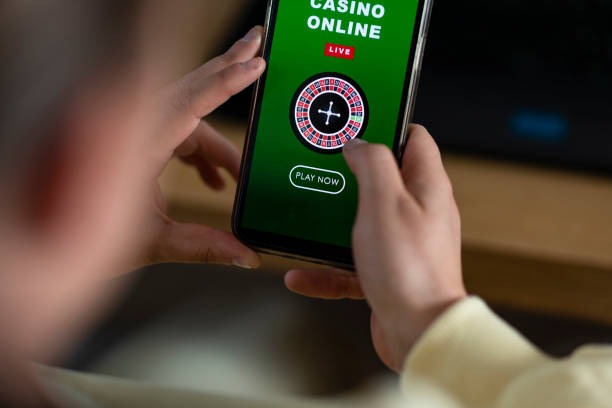

TABLE SPOTLIGHT

Three Tables Worth Checking First

Different table styles suit different decisions, so we keep the first choice practical rather than hiding formats behind a single live-casino tile.

Updated today
home123 Live Baccarat
CARD TABLE

Live Baccarat

Live baccarat places Player, Banker and Tie selections beside the streamed table. You see the dealer handle each hand, while the displayed round status shows when the next selection window opens and closes.

home123 Live Roulette
WHEEL TABLE

Live Roulette

Live roulette keeps the numbered wheel, outside selections and individual number areas visible in the same table panel. Check the table layout before joining, then follow the dealer's spin and settlement sequence on screen.

home123 Dragon Tiger
FAST COMPARISON

Dragon Tiger

Dragon Tiger uses two card positions, Dragon and Tiger, for a compact live-table format. The room displays its available selection areas and timer clearly, making it easier to follow a round on smaller phone screens.

Four Steps Into Each Live Round

Entry into the Live Dealer Lobby begins after you log in and complete the clear phone verification step shown on your account.

Choose a table

Select baccarat, roulette, blackjack or Dragon Tiger from the live table cards. Each card identifies the table format before entry, helping you avoid landing in a round structure you did not intend to use.

Read the table panel

The room places core rules and available selection areas alongside the dealer stream. Check those details before the timer begins, especially when moving between wheel tables, card comparison tables and blackjack hands.

Confirm before closing

A visible countdown controls when the current round stops accepting selections. Make your choice before that point, then keep the table open to watch the dealer complete the round and display its result.

Move between rooms

Use the lobby return control to leave one live table and inspect another format. Your account remains in the same casino session, so switching from roulette to baccarat does not require a separate login.

TABLE FACTS

Live Table Access At A Glance

Live table outcomes are determined by the physical cards or wheel shown in each streamed session, not by a slot-style reel display.

01

Game type

Dealer-streamed baccarat, roulette, blackjack and Dragon Tiger tables use their own displayed rules, selection areas and settlement sequence. The format shown on the table card identifies what you will see after entering the room.

02

Round pace

Round pace varies by table because card dealing, wheel spins and hand decisions do not take the same time. Watch the timer and current table state before making a selection for the following round.

03

Supported devices

The Live Dealer Lobby is available through mobile and desktop browsers. On phones, controls move below or alongside the stream, while desktop layouts keep the video and table panel visible together.

04

Access region

Live table access in Indonesia depends on local law. We show available rooms only after you log in with a phone-verified account, so the lobby can apply the applicable access setting.

PHONE TABLES

Live Tables On Your Phone

A phone browser keeps the Live Dealer Lobby close to your casino menu, with the dealer stream above the selection controls when screen width is limited.

home123 mobile gaming
Dealer stream first
Visible round timer
Baccarat and roulette
Desktop browser option
TABLE HELP PATH

Help When A Live Table Stalls

A stalled stream or missed round needs a table-specific check, so our support path starts with the room name and the time you saw the issue. Use the account help route close to the casino menu after logging in, and include a screenshot when the video or selection panel differs from what you expected. We can also check whether phone verification is holding back Live Dealer Lobby access. For regional availability questions, access depends on local law.

Team online

Stream not loading

Tell us the live table name, your device type and the approximate time the stream stopped. Our support check can distinguish a room refresh issue from a browser connection problem before you re-enter.

Round selection question

Send the table format and the round state you saw when a selection area was unavailable. We can point you back to the displayed rule panel and explain whether the timer had already closed.

Account access check

When the live category does not open, check phone verification in your account first. Contact us through the logged-in help path with the table name so we can examine the access status.

TABLE CLARITY

Six Checks Before You Join

We keep the Live Dealer Lobby readable before you enter a room: the format, stream, table layout and timer are presented together rather than concealed behind a generic…

Visible dealer stream

Each active room is built around a dealer-streamed table rather than a static card image.

Rule panel before entry

Baccarat, roulette, blackjack and Dragon Tiger rooms present their own table details before you join.

Round timer

The timer signals when the table is accepting selections and when the dealer is about to proceed.

Table-specific layouts

Roulette uses its wheel selection grid, while card tables use their own marked positions.

Phone verification

A clear phone verification step comes before account access to the live category.

Regional wording

Live Dealer Lobby availability depends on local law. We use this access wording because a table that appears in the…

Live Tables Beside Seven Lobby Choices

The Live Dealer Lobby is the dealer-streamed option within our casino selection, while fanbet, ligacipu, rocketslot, Super Bingo and Mega Fishing use different screen formats and round logic.

Live Dealer Lobby
Choose this category for streamed baccarat, roulette, blackjack and Dragon Tiger sessions. The defining feature is the visible dealer table, countdown and selection panel operating together during each live round.
fanbet
fanbet is a separate lobby title with its own interface and session structure. It does not replace the dealer stream or table-specific layouts found in the Live Dealer Lobby category.
ligacipu
ligacipu appears as another casino choice rather than a live dealer table. Use its category when that game format is what you seek, then return to live tables from the casino menu.
rocketslot
rocketslot follows a slot-room format, with reel-based presentation instead of a dealer and physical table action. The Live Dealer Lobby is the clearer choice when you want card or wheel mechanics.
Super Bingo
Super Bingo centers on bingo-style cards and number calls, creating a different screen flow from baccarat or roulette. Its category remains separate so live-table controls do not get mixed with bingo selections.
Mega Fishing
Mega Fishing uses a fishing-room interface rather than dealer-led rounds. Move to this category for that format, or stay in the Live Dealer Lobby when you want blackjack, cards or a roulette wheel.
Casino menu route
All sibling categories are reached from the same logged-in casino menu, but their rules stay separate. That route lets you check a live table first, then browse another title without starting a new account session.

Six Live Dealer Lobby Highlights

The practical appeal of live tables is that the action, selection layout and dealer are visible at the same time.

Baccarat comparison

Baccarat focuses on Player, Banker and Tie positions while the dealer handles each hand on stream. The room makes the card comparison easy to follow from the displayed table view.

Roulette wheel view

Roulette combines a live wheel with a numbered selection layout. You can inspect the available inside and outside areas before the countdown closes, then follow the dealer's spin and settlement.

Blackjack hand action

Blackjack uses a live dealer and a hand-based table format rather than a wheel layout. Read the room rules first because available table actions are presented within that specific live session.

Dragon Tiger format

Dragon Tiger keeps the decision focused on two card sides, making its table panel compact and direct. The dealer stream shows the comparison after the visible round timer reaches closing time.

One casino route

The casino menu routes you from your logged-in account to the Live Dealer Lobby without a separate download. Return to that menu whenever you want to inspect another table category or title.

Mobile control placement

On phones, the live video remains prominent while the table controls are arranged for a narrower display. This keeps the round timer and available selection areas close when you are not on desktop.

Live Dealer Lobby Questions Answered

These answers cover the checks you are likely to make before entering a Live Dealer Lobby room: which tables are present, how the stream behaves, what account step comes first, and how the mobile view changes. We keep the response focused on live-table use rather than generic casino claims. Read the table panel in the room for the current rules and selection areas, then use the logged-in help path if the video, timer or access status needs attention. Access depends on local law.

The home123 Live Dealer Lobby contains dealer-streamed baccarat, roulette, blackjack and Dragon Tiger tables. Each room has its own video feed, visible round timer and selection layout, so check the table card and rule panel before you enter.

Log in to your account, complete the phone verification step if it is still pending, then open the live category from the casino menu. Choose a table card to see the room rules and current live-table state.

Yes. The Live Dealer Lobby opens in a mobile browser without a separate app download. The dealer stream remains visible, while the timer and selection controls are arranged beneath or beside it for smaller screens.

Choose baccarat for Player, Banker and Tie comparisons, roulette for a numbered wheel layout, blackjack for hand-based action, or Dragon Tiger for two-card-side comparisons. The table panel identifies the format before you join the live room.

A selection area closes when the room's visible countdown reaches its cutoff for that round. Wait for the dealer to complete and settle the current action, then check the next round timer before making a selection.

Use the logged-in help path and provide the table name, device type and approximate time the stream stopped. A screenshot of the video or table panel helps us check whether the issue relates to the room or browser connection.

Live Dealer Lobby access depends on local law. After logging in with a phone-verified account, the casino category shows the rooms available for your account. Contact support through the account help route if the category does not open.